


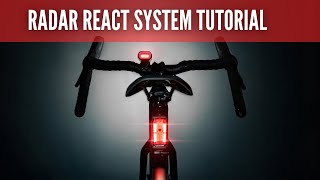


LEZYNE RADAR DRIVE REAR / BLACK Rear light with radar
1-LED-43R-V104Lezyne Radar Drive is an innovative rear bike light that combines powerful LED performance with radar technology. Not only does it provide excellent lighting, but it also protects you by alerting you to vehicles approaching from behind.
Its compact and durable IPX7-rated design, up to 20 hours of battery life, and distinctive daytime flashing mode make this model the ideal companion for safe riding in all conditions.Advanced protection thanks to radar. Radar detects vehicles up to 150 meters away and automatically activates a distinctive flashing mode, significantly increasing your safety and visibility on the road.Powerful light with long battery life. LEDs with a maximum output of 300 lumens and up to 20 hours of operation offer 7 modes, including an intrusive daytime flashing mode for maximum visibility.Radar detection of vehicles up to 150 m
Maximum operating time: 20 hours
Radar range: up to 150 m
Modes: 7
Visibility: 270° Waterproof: IPX7 Charging: USB-C Dimensions: 78 × 48.9 × 47.6 mm Weight: 122 gMounting: compatible with round, aero, and D-shaped seatposts
LEZYNE RADAR DRIVE REAR — simple instructions for use
1. Download the app & charge the device
Install Lezyne Radar Ally from the App Store (iOS) or Google Play (Android). Charge the Drive rear radar using a USB-C cable (not included). For the latest version of the manual, scan the QR code on the packaging.
2. Turn on the radar and pair it
Turn on the radar (by pressing and holding the button). In the app, tap "Connect" and select your Drive Rear from the list of devices. Update the firmware. In the app, go to the device menu (Radar Drive Rear) and check for a firmware update. If one is available, start the update. Set alerts and behavior. In the app, customize the sensitivity level of alerts (approaching vehicles), audible alerts, LED brightness, and other parameters. 4. Monitor alerts
While driving, keep the app running or have it in your pocket – you will receive visual and/or audible alerts about vehicles behind you.
5. Disconnecting the device
If you want to disconnect the radar, select "Disconnect" in the app. On an iPhone, close the app by swiping your finger. The radar will disconnect from the app but may continue to function independently (depending on the mode).
KE STAŽENÍ:
Manuál LEZYNE RADAR DRIVE REAR.pdf
Premium quality bicycle accessories made from the finest materials available. Designed, engineered, manufactured and tested in-house. Pure functionality and pure aesthetics is the essence of the lezyne brand.


Safe shopping Your data is safe

We ship goods in stock immediately

20,000 products in stock
